
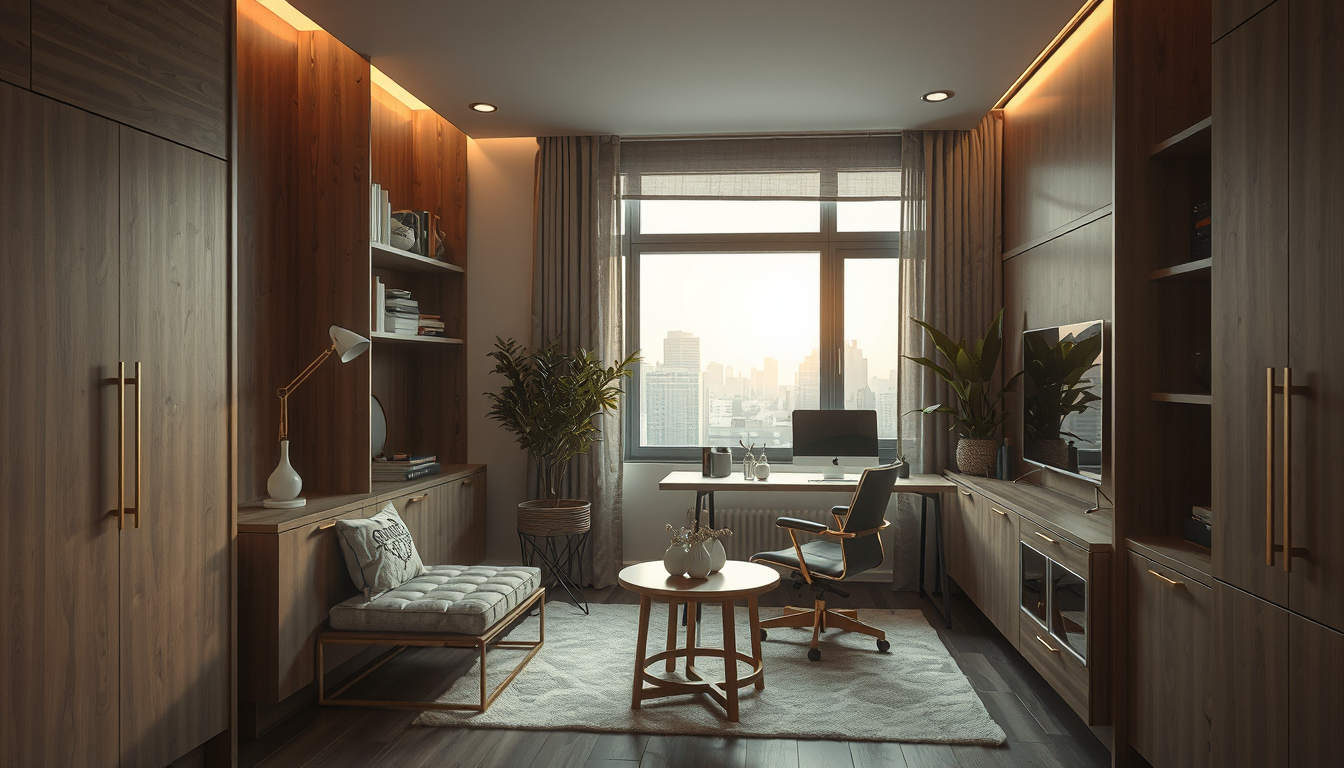
Planning a home office budget Canada workers can actually stick to means balancing three realities at once: tight square footage, 13% Ontario HST eating into every dollar, and the need for a workspace that holds up through eight-hour days. The good news is that a functional, good-looking home office no longer requires a renovation or a four-figure spend. With the right Canadian retailers, a few zoning tricks, and a smart understanding of CRA deductions, you can build a workspace that pays for itself. Here at Toronto Interior Designer, we see this challenge daily — and the solution starts with strategy, not a bigger budget.
Why a Home Office Budget Canada Workers Plan Pays for Itself
Remote and hybrid work is not a trend — it is the baseline. Approximately 25 per cent of Canadian workers now work from home at least part of the week, a dramatic shift from roughly four per cent before 2020 . That means millions of Canadians are spending 30-plus hours a week at dining tables, kitchen counters, and couch cushions that were never designed for productivity.
The financial case for investing in a proper setup is straightforward. Poor ergonomic arrangements cost Canadian employers an estimated $20 billion or more annually in lost productivity and injury claims . Even if you are self-employed, a sore back and a stiff neck cost you billable hours. A $500–$1,000 investment in the right desk, chair, and lighting pays dividends within months — and a portion of it may be tax-deductible.
“The cheapest home office is the one you set up correctly the first time. Replacing a bad chair six months in costs more than buying a decent one today.”
Small-Space Zoning Ideas for Toronto Condos and Compact Homes
Shop Compact Work-From-Home Staples
Desks, task lamps, and shelving do more for a condo office than oversized furniture that eats the room.
Toronto Interior Designer may earn a commission if you shop through these links at no extra cost to you.
The average Toronto one-bedroom condo runs roughly 550 to 650 square feet, and a dedicated office room is a luxury most renters and many owners simply do not have. The answer is zoning — carving a visual and functional boundary within a shared space. Done well, zoning makes a home office feel intentional rather than improvised.
Three zoning strategies that work in compact layouts:
- The closet conversion. Remove the bifold doors from a bedroom or hallway closet and install a 48-inch desktop at desk height (28–30 inches). Add a shelf above for monitor risers and a power bar with USB-C ports. When the workday ends, a curtain panel or sliding barn door hides everything.
- The living room divider desk. Place a slim desk (24 inches deep maximum) perpendicular to a wall and use a low bookcase behind it as a room divider. This creates an “office alcove” without blocking sightlines or natural light. For more layout ideas, explore our living spaces inspiration.
- The kitchen peninsula pivot. If your kitchen has a peninsula or island with an overhang, a comfortable stool and a laptop riser can turn it into a standing-height workspace during the day. Pair it with a small caddy to stow your laptop and accessories at dinner time.
The key principle: your office zone needs at least 42 inches of clear depth from the wall to the back of your chair, and enough width for your arms to rest naturally while typing — about 48 inches minimum.
The $500 Home Office Setup: Best Canadian Retailers for Style and Value
Forget the American roundups quoting USD prices and shipping to US addresses only. Here is what a genuinely Canadian home office budget looks like, sourced entirely from retailers that ship nationwide or have physical stores across Ontario.
| Element | Recommended Product | Retailer | Budget Range (CAD) | Notes |
|---|---|---|---|---|
| Desk | LAGKAPTEN/ADILS table combo | IKEA Canada | $90–$140 | Multiple sizes; pairs well with a cable management net |
| Sit-stand desk | BEKANT or motorized alternatives | IKEA Canada / Structube | $299–$649 | Structube’s AXEL starts under $350 |
| Task chair | MARKUS or HATTEFJÄLL | IKEA Canada | $280–$350 | Lumbar support built in; skip the gaming chairs |
| Monitor arm | Single-arm clamp mount | Amazon.ca / Staples Canada | $35–$70 | Frees up desk space dramatically |
| Desk lamp | LED task lamp with adjustable colour temperature | Canadian Tire / IKEA | $30–$60 | Look for 4000K for focused work |
| Cable management | Under-desk tray + velcro ties | Amazon.ca | $20–$35 | Non-negotiable for small desks |
| Décor and art | Gallery wall prints or floating shelf display | Various | $50–$100 | Wall art ideas can transform a bare corner |
The math: A desk, a good chair, a lamp, and cable management come in between $430 and $600 before tax. With Ontario’s 13% HST, a $500 pre-tax budget yields roughly $443 in actual product. Plan accordingly — and shop sales during Boxing Week, Canada Day promos, and IKEA’s mid-year events.
EQ3 and Structube are worth watching for desk and shelving pieces that feel more design-forward than the typical big-box options, while Canadian Tire Marketplace has become surprisingly competitive for ergonomic accessories and lighting.
Affordable Lighting and Ergonomics for Your Home Office Budget
Good lighting costs almost nothing to get right, yet it remains the single most underestimated factor in a home office. A desk facing a window creates screen glare; a desk with the window behind you turns your face into a shadow on video calls. The best position is perpendicular to the window, with natural light falling across your dominant side.
Layer your lighting with these affordable moves:
- Task light at desk level. An adjustable LED lamp (4000–5000K colour temperature) placed opposite your dominant hand reduces shadows on paperwork and keyboards. Budget: $30–$60 CAD.
- Ambient overhead. If your space has a ceiling fixture, swap in a dimmable LED bulb so you can lower intensity during screen-heavy work. Budget: $10–$15 CAD.
- Bias lighting behind the monitor. A USB-powered LED strip on the back of your monitor reduces eye strain by softening the contrast between the bright screen and a dark wall. Budget: $15–$25 CAD.
For ergonomics, the non-negotiables are chair height (feet flat on the floor, thighs parallel to the ground), monitor height (top of screen at eye level), and keyboard position (elbows at 90 degrees). A $35 monitor arm and a $20 keyboard tray solve most problems without replacing furniture. Together, these small upgrades protect your posture and keep discomfort from chipping away at your focus over long workdays.
CRA Home Office Deductions: How to Claim Your Budget Back
This is where a home office budget Canada families set aside gets a partial refund. The CRA has offered a simplified method for claiming home office expenses — previously a flat rate of $2 per day worked from home, up to $500 per year under the temporary method introduced during the pandemic. The permanent rules and limits may differ for the current tax year, so confirm the latest guidelines on the CRA website before filing .
Under the detailed method, you can deduct a proportional share of rent, utilities, internet, and maintenance based on the square footage your office occupies relative to your home. Keep receipts and measure your workspace carefully.
What qualifies as a home office for CRA purposes:
- It must be where you “principally” perform your work (more than 50% of the time), or
- You use it exclusively for work and for meeting clients or customers regularly.
A corner of your living room counts — as long as you meet one of those two conditions. Salaried employees need a signed T2200 from their employer; self-employed individuals claim on Form T2125. Toronto Interior Designer recommends keeping a simple log of days worked from home alongside your receipts.
What to Do Next
- Measure your space today. Grab a tape measure and confirm you have at least 48 × 42 inches for a desk zone. Photograph the area in natural light for reference.
- Set a hard budget, then add 13%. Ontario HST is real. A $500 target means shopping for $443 in product value.
- Shop Canadian first. IKEA Canada, Structube, EQ3, and Canadian Tire Marketplace cover desks, chairs, lighting, and accessories — all with local shipping and returns.
- Position your desk perpendicular to the window. Better light on calls, less glare on screen, no extra cost.
- Check the CRA deduction rules for this tax year. Even the simplified method can return a meaningful amount.
- Explore our home office category for more workspace design ideas tailored to Canadian spaces.
A well-planned home office budget Canada professionals build around does not have to feel like a compromise. With the right zoning, smart sourcing from Canadian retailers, and a little help from the CRA, your workspace can look and feel like it cost twice what you actually spent.
Make the Setup Feel Finished
Upgrade your office corner with better lighting, smarter storage, and one or two elevated pieces that keep it from feeling temporary.
Toronto Interior Designer may earn a commission if you shop through these links at no extra cost to you.
Sources
- Statistics Canada Labour Force Survey — https://www.statcan.gc.ca/
- Canadian Centre for Occupational Health and Safety — https://www.ccohs.ca/
- Canada Revenue Agency — https://www.canada.ca/en/revenue-agency.html
Frequently Asked Questions
How much does a home office setup cost in Canada?
A functional home office in Canada costs between $430 and $600 before tax. With Ontario’s 13% HST, budget roughly $500–$680 all in. Shopping Canadian retailers like IKEA Canada, Structube, and Canadian Tire keeps costs low with local shipping and easy returns.
Can I claim home office expenses on my Canadian taxes?
Yes. The CRA allows home office deductions for employees and self-employed Canadians. Salaried workers need a signed T2200 from their employer, while self-employed individuals claim on Form T2125. Check the CRA website for the latest rates and eligibility rules for the current tax year.
How do I set up a home office in a small Toronto condo?
Use zoning strategies like a closet conversion, a perpendicular divider desk, or a kitchen peninsula pivot. You need at least 48 inches of width and 42 inches of depth for a comfortable desk zone. Position your desk perpendicular to the window to reduce glare and improve video call lighting.