
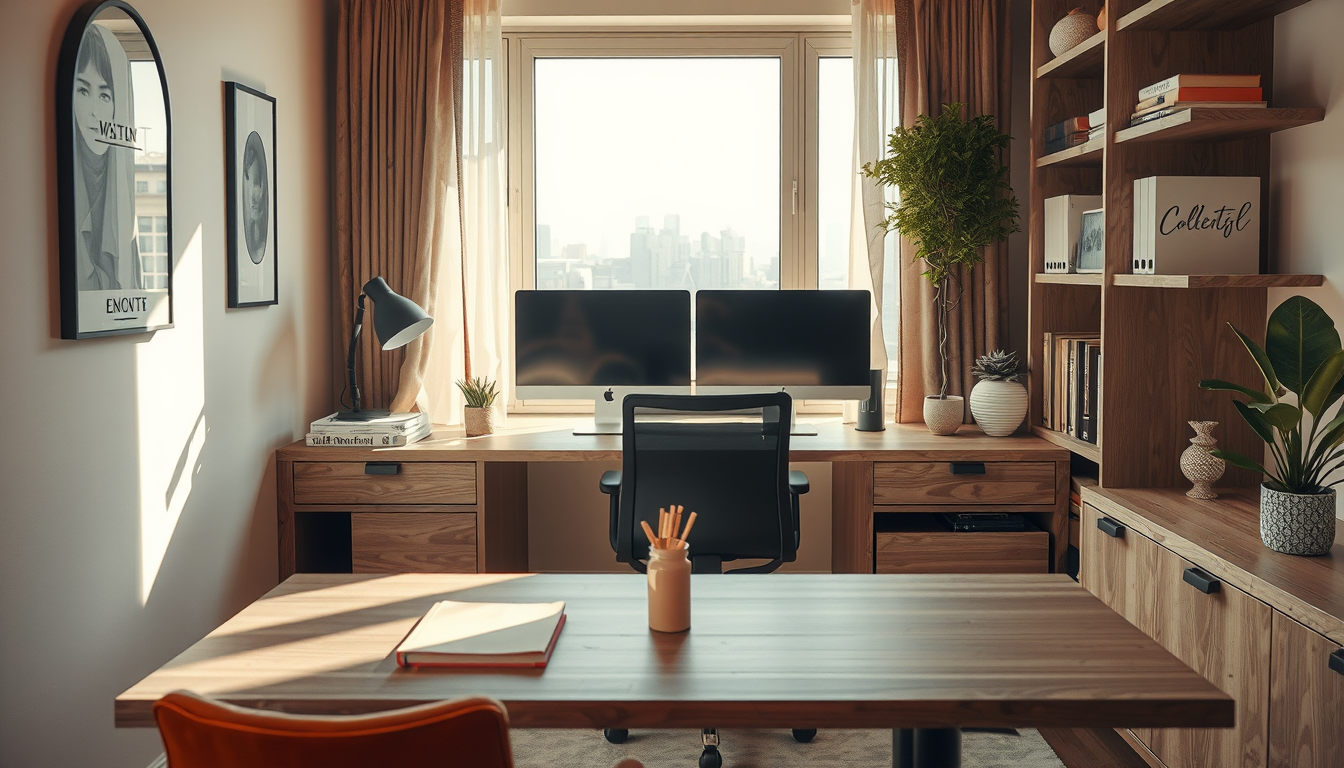
Your dual monitor setup Canada workstation is probably the most-used surface in your home — and yet it gets less design attention than your kitchen backsplash. With roughly one in four Canadian workers still logging most hours from home , the home office has become permanent infrastructure, not a pandemic afterthought. The problem? Most advice on multi-screen ergonomics comes from tech blogs that ignore how a workstation actually fits into a room. Here at Toronto Interior Designer, we think your desk deserves the same considered approach as any other piece in your home — especially when you’re staring at it eight hours a day in a 660-square-foot condo.
Why Your Dual Monitor Setup Canada Workstation Needs Real Design Thinking
Every productivity article will tell you two screens boost efficiency. Few will mention that two 27-inch monitors on stock stands eat up nearly 30 inches of desk depth and create a wall of black plastic that dominates any room they sit in. In a Toronto condo where the “home office” is often a corner of the living room or a repurposed closet, that visual weight matters.
The design fix starts with treating the workstation as a composition, not just a collection of gear. That means selecting a desk for its proportions and finish — not just its width — and using monitor arms to lift screens off the surface entirely. Arms alone free up roughly 40–60 percent of the desk area that stock stands consume , giving you room for a lamp, a plant, or simply clear space that makes the whole setup feel intentional.
If you’re working with a built-in home office, the advantage is even greater: wall-mounted arms can attach to a shelf unit or cabinet frame, keeping the desk surface completely clear.
Best Canadian Desks for a Dual Monitor Setup: Size, Material, and Price
Shop Compact Work-From-Home Staples
Desks, task lamps, and shelving do more for a condo office than oversized furniture that eats the room.
Toronto Interior Designer may earn a commission if you shop through these links at no extra cost to you.
A dual monitor setup needs a desk that is at least 60 inches wide and 30 inches deep. Go narrower and you’ll crowd the screens together, creating neck strain. Go shallower and the monitors sit too close to your eyes, pushing you past the 50-to-70-centimetre comfort range recommended by Canadian ergonomics guidelines.
Here’s how popular Canadian retailers stack up for desks that actually fit two monitors:
| Retailer | Desk Width Range | Depth | Material Options | Price Range (CAD) |
|---|---|---|---|---|
| Structube | 55″–71″ | 24″–30″ | Walnut veneer, oak, matte lacquer | $400–$800 |
| EQ3 | 60″–72″ | 28″–30″ | Solid wood, steel frame, white oak | $700–$1,200 |
| Article | 56″–63″ | 25″–30″ | Acacia, reclaimed teak | $600–$1,000 |
| IKEA Canada | 55″–74″ | 24″–31″ | Particleboard, bamboo, birch veneer | $200–$600 |
A few practical notes. Walnut and oak veneer desks from Structube and EQ3 photograph beautifully and hold up well in day-to-day use, but check the leg placement — some designs set legs inward, which limits where you can clamp a monitor arm. Steel-frame desks with a flat rear edge are the easiest to mount arms on. If budget is tight, the IKEA BEKANT or IDÅSEN sit-stand frames handle dual arms without issue and come in under $600.
The best home office desk isn’t the most expensive one — it’s the one that fits your monitors, your room, and the way you actually work through a Canadian winter.
Ergonomic Monitor Placement: Canadian Health Guidelines for Dual Screens
Getting the screens in the right position matters more than which brand you buy. The Canadian Centre for Occupational Health and Safety recommends that the top edge of each monitor sit at or slightly below eye level, with screens placed at arm’s length — roughly 50 to 70 centimetres from your face .
For a dual monitor arrangement specifically, follow this sequence:
- Centre your primary screen directly in front of you, not off to one side. This is the monitor you use 60 percent or more of the time.
- Angle the secondary monitor approximately 30 degrees toward you, placed on your dominant-hand side so you turn naturally.
- Match the height of both screens so the top bezels form a level line — mismatched heights cause asymmetric neck strain over time.
- Set arm tension so screens hold position without drifting. A slow drift downward over weeks means the gas spring needs tightening or the arm is undersized for your monitor weight.
- Position your keyboard so your elbows rest at 90 degrees with shoulders relaxed — if the desk is too high after mounting arms, consider a keyboard tray rather than raising your chair and losing foot contact with the floor.
- Follow the 20-20-20 rule recommended by the Canadian Association of Optometrists: every 20 minutes, look at something 20 feet away for 20 seconds to reduce eye strain from close-range screen exposure .
These aren’t just comfort suggestions. Poor screen placement is a leading cause of repetitive strain complaints in hybrid workers, and correcting it costs far less than treating it.
Cable Management and Task Lighting for a Clean Dual Monitor Desk
Two monitors mean twice the cables — power, DisplayPort or USB-C, possibly a dock, a webcam cable, and charging lines for peripherals. In a compact space, visible cable clutter makes even a well-chosen desk look like an IT closet.
The simplest fix is a cable management tray that mounts under the desk. Structube and IKEA both sell them for under $30. Run all cables along the tray, then drop a single grouped line down one desk leg to the power bar. Use velcro wraps, not zip ties — you’ll need to add or swap cables eventually, and zip ties turn a five-minute change into a frustrating ten-minute ordeal with scissors.
For lighting, avoid relying on overhead pot lights alone. A desk lamp with a colour temperature between 3000K and 4000K reduces the contrast between your bright screens and the surrounding room, which cuts eye fatigue noticeably. Canadian brands like Koncept ship task lamps that clamp to the desk edge and swing out of the way during video calls. If you need more home office inspiration, we keep a running collection of functional layouts that balance aesthetics with day-to-day practicality.
Small-Space Dual Monitor Setup Canada: Condo and Apartment Solutions
The average Toronto condo measures roughly 660 square feet , which means your dual monitor station might share a room with your sofa, your dining table, or both. That’s a design constraint, not a dealbreaker.
Three strategies that Toronto Interior Designer contributors use repeatedly in compact layouts:
The closet conversion. Remove closet doors, install a 60-inch floating shelf at desk height, and mount monitors on a wall plate arm above. When the workday ends, a curtain or barn-door slider hides the entire setup. Pair this approach with the storage ideas we’ve covered for bedrooms — the same vertical-space principles apply.
The room divider desk. Place a 72-inch desk perpendicular to the wall so it doubles as a visual partition between living and working zones. The back of the monitors faces the living area, and a low shelf or plant tray on the desk’s rear edge softens the view.
The window-adjacent L-desk. Toronto condos often have one strong natural-light wall. An L-shaped desk along that wall lets you centre monitors on the long side while keeping the short return clear for paperwork or a coffee. Natural light from the side — never directly behind the screens — reduces glare and keeps your video-call lighting flattering.
What to Do Next
- Measure your space first. Confirm you have at least 60 inches of width and 30 inches of depth before shopping for a desk.
- Invest in monitor arms before a new desk. Freeing the desk surface often solves space problems cheaper than buying bigger furniture.
- Set screen height to CCOHS guidelines. Top of screen at eye level, arm’s length away, secondary angled at 30 degrees.
- Route cables through an under-desk tray. Budget $20–$30 and 15 minutes of setup time.
- Add a task lamp rated 3000K–4000K. Your eyes will thank you by mid-afternoon.
- Consider a closet conversion or divider layout if your dual monitor setup Canada workstation shares space with your living area.
A dual monitor home office doesn’t have to look like a server room. With the right desk proportions, proper ergonomic positioning, and a few considered design moves, it becomes one of the hardest-working — and best-looking — corners of your home.
Make the Setup Feel Finished
Upgrade your office corner with better lighting, smarter storage, and one or two elevated pieces that keep it from feeling temporary.
Toronto Interior Designer may earn a commission if you shop through these links at no extra cost to you.
Sources
- Statistics Canada Labour Force Survey — https://www150.statcan.gc.ca/n1/daily-quotidien/240612/dq240612b-eng.htm
- Ergotron workspace research — https://www.ergotron.com/
- CCOHS Office Ergonomics — https://www.ccohs.ca/oshanswers/ergonomics/office/monitor_positioning.html
- Canadian Association of Optometrists — https://opto.ca/
- Urbanation condo market data — https://www.urbanation.ca/
Frequently Asked Questions
What size desk do I need for a dual monitor setup in Canada?
You need a desk at least 60 inches wide and 30 inches deep. Canadian retailers like Structube, EQ3, Article, and IKEA Canada carry desks in this range from $200 to $1,200 CAD depending on material and frame style.
How should I position two monitors for proper ergonomics?
The Canadian Centre for Occupational Health and Safety recommends placing the top edge of each screen at or slightly below eye level, about 50 to 70 centimetres from your face. Centre your primary monitor directly ahead and angle the secondary screen roughly 30 degrees toward you on your dominant-hand side.
How can I fit a dual monitor setup in a small Toronto condo?
Use monitor arms to free up desk surface, convert a closet into a hidden workstation with a floating shelf, or place a 72-inch desk perpendicular to the wall as a room divider. These strategies let you maintain a functional dual monitor setup Canada workspace in spaces as small as 660 square feet.