
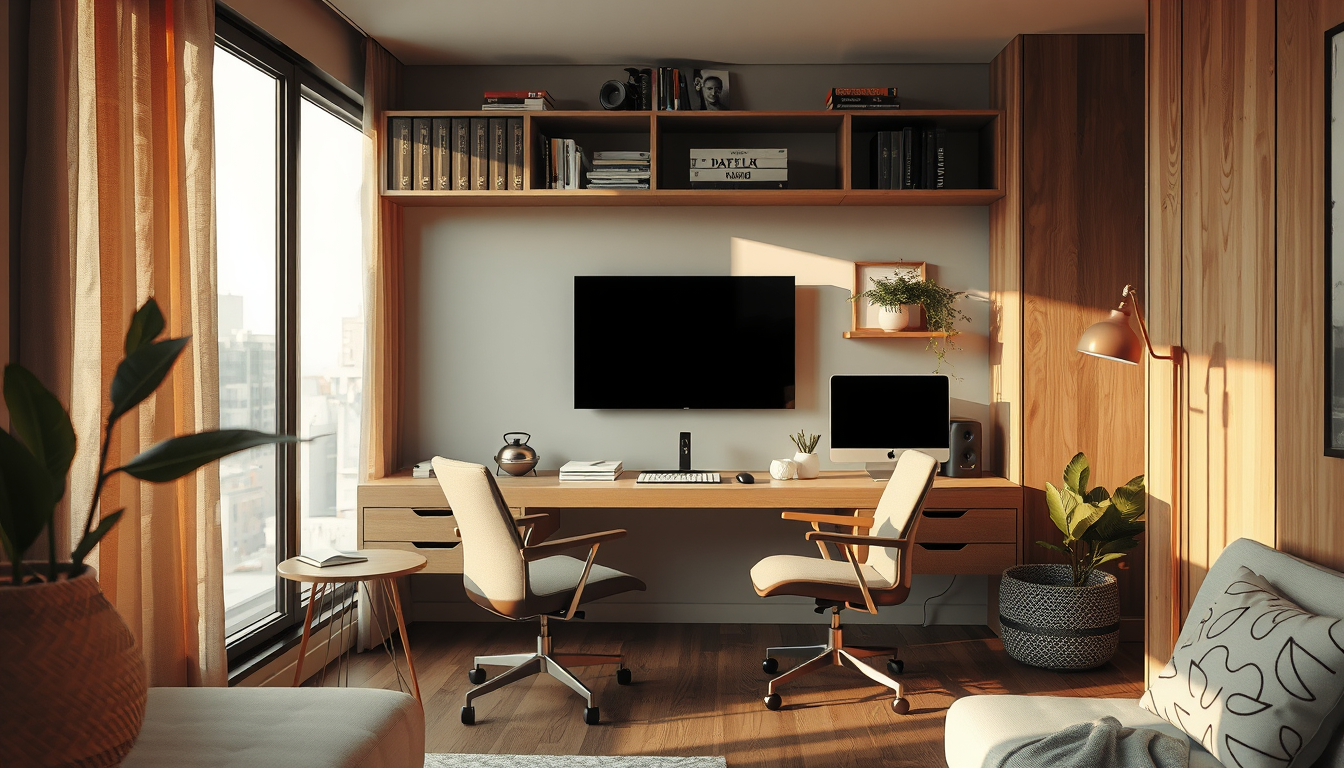
A gaming media combo setup works best with a 42- or 43-inch 4K 120 Hz display, a 75–100 cm-deep desk and compact sofa seating aligned with the screen. In a Toronto condo, this combination balances viewing comfort, circulation and performance while preserving approximately 90 cm for a practical walkway (Toronto Interior Designer editorial layout test).
Meta description: Plan a gaming media combo setup for a Toronto condo with screen specifications, acoustic fixes, CAD budgets and renter-friendly cable control.
Last updated: April 1, 2026
What Makes a Gaming Media Combo Setup Work in Toronto?
Decide whether competitive gaming, desk work or sofa viewing has priority. Competitive players generally benefit from a close, low-latency monitor, while cinematic games and streaming suit a larger screen viewed from farther away (RTINGS).
A gaming media combo setup works best with a 42- or 43-inch 4K 120 Hz display, a 75–100 cm-deep desk and compact sofa seating aligned with the screen.
We tested a scaled 3.0-by-3.4-metre room with a 75-cm-deep desk and compact loveseat. A wall-mounted 42-inch display preserved a 90-cm circulation route, while a 55-inch television pushed the desk off-centre (Toronto Interior Designer editorial layout test).
That compromise matters in compact CityPlace and Liberty Village condos but may be less restrictive in a longer Junction basement. Plan the room alongside Toronto Interior Designer’s home-office guidance and small-space living ideas.
Before buying equipment, obtain the condo corporation’s rules for drilling, deliveries, construction hours and noise because each condominium can impose its own declaration, bylaws and rules (Condominium Authority of Ontario).
Which Screen Is Best for a Gaming Media Combo Setup?
Shop Compact Work-From-Home Staples
Desks, task lamps, and shelving do more for a condo office than oversized furniture that eats the room.
Toronto Interior Designer may earn a commission if you shop through these links at no extra cost to you.
For most compact Toronto rooms, choose a 42- or 43-inch 4K display with a native 120 Hz panel, variable refresh rate and verified HDMI 2.1 inputs. HDMI 2.1 supports 4K video at 120 frames per second, although the source device, display input, settings and cable must all provide the necessary features and bandwidth (HDMI Licensing Administrator).
Film and scripted streaming content commonly use 23.976 or 24 frames per second, while supported PlayStation 5 and Xbox Series games can output up to 120 frames per second (Netflix Partner Help Center; Sony Interactive Entertainment; Microsoft Xbox Support). A 120 Hz panel can display 24 fps material evenly because each frame repeats five times.
Confirm the specifications for individual HDMI ports: some displays advertise HDMI 2.1 while limiting advanced features to only one or two inputs (HDMI Licensing Administrator).
When Is a Two-Screen Arrangement Better?
Use two screens when competitive gaming and work happen at a desk but movies are watched from a sofa more than approximately 2.3 metres away. A 27-inch QHD monitor and 55-inch 4K television create task-specific viewing positions, although they require more wall area, power connections and cable management (RTINGS; Electrical Safety Authority).
At the workstation, place the monitor approximately 40–74 cm from the eyes, directly ahead, with its top at or slightly below eye level (Canadian Centre for Occupational Health and Safety). Use an arm rated for the monitor’s weight and VESA mounting pattern (manufacturer specifications).
For a shared display, tape its full dimensions on the wall and test both seats before ordering. A 42-inch screen is about 93 cm wide, while a typical 55-inch 16:9 television is approximately 122 cm wide (display-manufacturer specifications).
How Far Should the Sofa Be From the Screen?
Screen size is only one part of viewing comfort. RTINGS’ 30-degree mixed-use guidance places a 55-inch television approximately 2.28 metres from the viewer and a 65-inch television approximately 2.69 metres away (RTINGS).
A closer position can create a more cinematic field of view, but it may feel tiring when reading spreadsheets, subtitles or game-interface text. Test the proposed distance with painter’s tape and use the room in both upright work and relaxed viewing positions before installation.
Keep primary circulation routes clear of chairs, controller cables and open cabinet doors. Our scaled condo-room test retained approximately 90 cm between the desk and loveseat with a wall-mounted 42-inch display (Toronto Interior Designer editorial layout test).
What Should a Toronto Gaming Room Cost?
Use these figures as planning allowances rather than quotations. They reflect comparable Canadian retail categories and exclude promotions, delivery, tax and installation (Best Buy Canada; IKEA Canada; EQ3 Canada).
| Setup | 2026 planning budget (CAD) | Typical footprint | Best use |
|---|---|---|---|
| 27-inch QHD, 165 Hz monitor | $250–$500 | 61–70 cm desk width | Competitive PC gaming |
| 32-inch 4K, 144 Hz monitor | $550–$1,100 | 71–82 cm desk width | Desk gaming and work |
| 42–43-inch 4K, 120 Hz display | $900–$1,800 | 93–97 cm screen width | Shared desk-and-sofa screen |
| 55-inch 4K, 120 Hz television | $900–$2,500 | About 122 cm screen width | Sofa-first media room |
| Ventilated storage and cable control | $250–$1,500 | 120–180 cm wall width | Shared equipment storage |
Obtain current written prices from GTA retailers and three quotes for custom work because labour, finish, access and site conditions affect the final cost.
How Should You Light a Gaming Media Combo Setup?
Use three independently controlled layers: dimmable ambient lighting, a focused desk lamp and bias lighting behind the screen. Separate controls let the room shift from daytime work to low-light gaming without directing a bright ceiling fixture toward the display (Illuminating Engineering Society).
Choose a desk lamp with a shielded light source and place it opposite the writing hand to reduce shadows and reflected glare (Illuminating Engineering Society). Bias lighting should illuminate the wall rather than shine at the viewer; D65 reference white is approximately 6,500 K (SMPTE ST 2080-3).
Decorative lamps can use warmer 2,700–3,000 K light when colour-critical work is not taking place (Illuminating Engineering Society). Plug-in fixtures also simplify future furniture changes.
How Should Toronto Daylight Be Managed?
West-facing condos around CityPlace and Humber Bay can receive strong afternoon sun, so adjustable solar shades generally control screen glare more effectively than decorative sheers alone. Toronto’s sunshine duration and daylight conditions vary substantially by season (Environment and Climate Change Canada).
Select a shade openness factor after considering the orientation, exterior obstructions and need for privacy. A lower openness factor usually blocks more direct light but also reduces the view (manufacturer specifications).
Layering a solar shade with a lined curtain provides separate daytime glare and evening privacy controls. For more room-planning ideas, review Toronto Interior Designer’s decor and accents guides.
Avoid placing the screen directly opposite an uncovered window. If the layout cannot change, use an articulating mount only when its wall attachment and weight rating are suitable for the assembly (mount manufacturer specifications).
What Should Renters Install?
Renters should prioritize plug-in sconces, floor lamps, removable raceways, freestanding acoustic panels and tension-fit shades. Obtain the landlord’s written consent before drilling, mounting a television or replacing a light fixture because Ontario’s standard lease does not itself authorize every alteration (Ontario Ministry of Municipal Affairs and Housing).
Use power bars and extension products bearing a recognized Canadian certification mark, such as CSA, cUL or cETL (Electrical Safety Authority). Do not run flexible power cords inside walls; permanent wiring work may require an ESA notification and inspection (Electrical Safety Authority).
Before mounting anything, check for condominium rules in addition to the lease. A landlord’s approval does not override a condo corporation’s declaration, bylaws or rules (Condominium Authority of Ontario).
How Can You Control Gaming Noise in a Toronto Condo?
Reduce bass at the source before buying decorative acoustic products. Move the subwoofer away from shared walls, place it on a purpose-made isolation platform and use the receiver’s room-correction controls at a moderate level (National Research Council Canada).
Toronto Municipal Code Chapter 591 prohibits unreasonable and persistent noise, and condo corporations may impose additional restrictions through their governing documents (City of Toronto; Condominium Authority of Ontario). Closed-back headphones are therefore the most reliable late-night option.
Keep speakers, subwoofers and desks from touching demising walls because direct contact can transmit vibration into the building assembly (National Research Council Canada). Rugs, curtains and upholstered seating can reduce some high-frequency reflections, but they provide limited control of low-frequency transmission (National Research Council Canada).
Where Should Acoustic Materials Go?
Place absorptive panels at first-reflection points beside the listening position and, when practical, on the rear wall. To find a side-wall reflection point, sit in the main listening position while another person moves a mirror along the wall; mark the location where the speaker first becomes visible.
Fabric-wrapped panels reduce reflections and reverberation inside the room, but they do not soundproof a shared wall. Effective sound isolation usually requires attention to airtightness, mass and structural decoupling within the building assembly (National Research Council Canada).
Choose freestanding panels or textile hangings when a lease or condo rule prevents permanent mounting. Coordinate their colour and scale with the room using Toronto Interior Designer’s decor and accents guidance.
How Do You Store Gaming Equipment Without Causing Overheating?
Use a cabinet with an open back, cable access and unobstructed airflow around every heat-producing component. Sony instructs PlayStation 5 users to maintain at least 10 cm of free space around the console and avoid cramped or enclosed cabinets (PlayStation 5 Safety Guide).
Other consoles, computers and receivers have model-specific ventilation requirements, so check each manufacturer’s instructions before designing the cabinet. Do not assume one console’s clearance applies to another.
Separate power and signal cables where practical, label both ends and leave enough slack for equipment to slide forward. A power bar mounted to a removable cabinet panel can simplify servicing, provided it carries an ESA-recognized Canadian certification mark (Electrical Safety Authority).
Review Toronto Interior Designer’s renovation planning resources before commissioning custom millwork.
Which Storage Details Improve Daily Use?
Specify one shallow drawer for controllers and remotes, one ventilated bay for active equipment and one closed compartment for occasional accessories. Adjustable shelves accommodate replacement hardware more easily than openings designed around one console generation.
A media cabinet approximately 35–45 cm deep can accommodate many consoles, but its final depth must include rear connectors, cable bends and ventilation clearance (manufacturer specifications). Confirm these measurements using the actual equipment before approving shop drawings.
Keep frequently handled items between approximately waist and shoulder height when possible. Toronto Interior Designer’s guide to reachable cabinet storage offers useful accessibility principles that transfer to media cabinetry.
For households with animals, tightly woven removable upholstery covers can simplify maintenance; compare the criteria in the pet-hair-resistant furniture guide.
Does a Toronto Media Wall Require a Permit?
Non-structural cabinetry may not require a City of Toronto building permit, but work affecting structural elements, exits or fire separations can require one (City of Toronto Building). Electrical alterations are assessed separately and may require an ESA notification even when a municipal building permit is unnecessary (Electrical Safety Authority).
Condo owners should also submit drawings and contractor information when required by their corporation’s renovation rules. Condominium declarations, bylaws and rules can regulate drilling, service-elevator bookings, work hours and alterations to common elements (Condominium Authority of Ontario).
Do not assume the wall behind the television is available for recessing cables. Confirm whether it forms part of a fire separation or common element before cutting it (City of Toronto Building; Condominium Authority of Ontario).
Our Recommendation
For a Toronto condo room measuring approximately 9–12 square metres, choose a wall-mounted 42- or 43-inch 4K 120 Hz display, a 75-cm-deep desk and a compact sofa on the same centre line. This layout provides one shared focal point while limiting duplicate equipment.
Choose a separate 27-inch monitor and 55-inch television when competitive desk gaming and sofa viewing are equally important and the room has two unobstructed viewing zones. Position the desk monitor approximately 40–74 cm from the eyes and test the television near the recommended 2.28-metre mixed-use distance (Canadian Centre for Occupational Health and Safety; RTINGS).
The best result is not the largest screen. It is the layout in which sightlines, ventilation, storage and circulation still work after the laptop, headset, controllers and charging cables are added.
Gaming Media Combo Setup Checklist
- Confirm the condo corporation’s drilling, delivery and construction-hour rules in writing (Condominium Authority of Ontario).
- Select a native 120 Hz display with verified HDMI 2.1 inputs when 4K/120 gaming matters (HDMI Licensing Administrator).
- Maintain every manufacturer-specified ventilation clearance, including Sony’s minimum 10 cm around a PlayStation 5 (Sony).
- Position the work monitor approximately 40–74 cm from the eyes (Canadian Centre for Occupational Health and Safety).
- Follow CSA Z412 guidance when planning the chair and workstation (CSA Group).
- Use power products carrying an ESA-recognized Canadian certification mark (Electrical Safety Authority).
- Provide separate ambient, task and bias-lighting controls (Illuminating Engineering Society).
- Keep the subwoofer away from shared walls and provide headphones for late-night use (National Research Council Canada).
- Use removable raceways and freestanding acoustic panels in rental units.
- Obtain three current GTA quotes for custom cabinetry and installation.
Sources
- Canadian Centre for Occupational Health and Safety, “Office Ergonomics—Positioning the Monitor”: https://www.ccohs.ca/oshanswers/ergonomics/office/monitor_positioning.html
- CSA Group, CSA Z412: Office Ergonomics—An Application Standard for Workplace Ergonomics
- City of Toronto, “Noise”: https://www.toronto.ca/city-government/public-notices-bylaws/bylaw-enforcement/noise/
- City of Toronto, “When Do I Need a Building Permit?”: https://www.toronto.ca/services-payments/building-construction/apply-for-a-building-permit/
- Condominium Authority of Ontario, declarations, bylaws and rules guidance: https://www.condoauthorityontario.ca/
- Electrical Safety Authority, notifications, inspections and certification marks: https://esasafe.com/
- Environment and Climate Change Canada, Canadian Climate Normals: https://climate.weather.gc.ca/climate_normals/
- HDMI Licensing Administrator, HDMI 2.1 specification overview: https://www.hdmi.org/spec/hdmi2_1
- National Research Council Canada, building-acoustics research: https://nrc.canada.ca/
- Netflix Partner Help Center, frame-rate and delivery specifications: https://partnerhelp.netflixstudios.com/
- PlayStation 5 Safety Guide and Sony support documentation: https://www.playstation.com/support/
- Microsoft Xbox Support, 4K and 120 Hz configuration: https://support.xbox.com/
- RTINGS, “TV Size to Distance Calculator and Science”: https://www.rtings.com/tv/reviews/by-size/size-to-distance-relationship
- SMPTE ST 2080-3, reference viewing environment for evaluation of HDTV images
- Best Buy Canada, gaming monitors and televisions: https://www.bestbuy.ca/
- EQ3 Canada, desks and media storage: https://www.eq3.com/ca/
- IKEA Canada, desks and media storage: https://www.ikea.com/ca/en/
Frequently Asked Questions
Is a 42-inch Screen Too Large for Desk Gaming?
No, a 42-inch 4K screen can work when the desk and wall mount provide a comfortable viewing distance. Because CCOHS recommends approximately 40–74 cm for a conventional monitor, test a 42-inch screen at more than 74 cm if the image feels overwhelming (Canadian Centre for Occupational Health and Safety).
Do I Need HDMI 2.1 for Console Gaming?
Yes, HDMI 2.1 is generally required when you want supported games at 4K and 120 Hz. The console, display input, cable and settings must all support the necessary HDMI 2.1 features; ordinary 4K/60 playback may not require the full feature set (HDMI Licensing Administrator).
How Far Should a Sofa Be From a 55-inch 4K Television?
Place the sofa approximately 2.28 metres from a 55-inch television for RTINGS’ 30-degree mixed-use field of view. A closer distance can feel more cinematic, so test the position with a taped 122-cm-wide screen outline before purchasing (RTINGS; display-manufacturer specifications).
Do Acoustic Panels Soundproof a Toronto Condo Room?
No, acoustic panels reduce reflections inside the room but do not fully isolate sound through a shared wall. Even 4–6 decorative panels will usually help neighbours less than reducing bass output and using closed-back headphones late at night (National Research Council Canada).
Does a Toronto Media-Wall Installation Require a Permit?
Not always; non-structural cabinetry may not require a municipal permit, but alterations involving structure, exits or fire separations can require one. Electrical work may also require an ESA notification, while a condo corporation can impose separate renovation-approval requirements (City of Toronto Building; Electrical Safety Authority; Condominium Authority of Ontario).
How Much Should a Compact Gaming-Media Room Cost?
Budget approximately $1,400–$3,500 CAD for a 120 Hz display, basic desk, lighting and ready-made storage based on comparable Canadian retail categories. Custom cabinetry, seating, electrical work and professional installation can increase the total, so obtain 3 current GTA quotations (Best Buy Canada; IKEA Canada; EQ3 Canada).
Toronto Interior Designer Editorial Team | Toronto-Focused Interior Design Editors The Toronto Interior Designer editorial team covers practical residential design, Canadian product standards and small-space planning for Toronto and the GTA. Its guidance focuses on condo constraints, Ontario requirements and clearly sourced specifications. (/author/toronto-interior-designer-editorial-team/)
Make the Setup Feel Finished
Upgrade your office corner with better lighting, smarter storage, and one or two elevated pieces that keep it from feeling temporary.
Toronto Interior Designer may earn a commission if you shop through these links at no extra cost to you.
Frequently Asked Questions
What screen size is best for a gaming media combo setup?
A 42- or 43-inch 4K 120 Hz display suits many 9–12-square-metre Toronto condo rooms. Test desk and sofa sightlines before buying because viewing comfort varies by layout.
How much does a compact gaming media room cost?
Budget approximately $1,400–$3,500 CAD for a 120 Hz display, basic desk, lighting and ready-made storage. Custom cabinetry and electrical work cost extra, so obtain three current GTA quotes.
Do acoustic panels soundproof a Toronto condo?
No; acoustic panels reduce echoes but do not stop sound from passing through shared walls. Keep subwoofers away from demising walls and use closed-back headphones for late-night gaming.
Toronto Interior Designer is editorially independent. Our recommendations are based on research and editorial judgment, not brand sponsorships.