
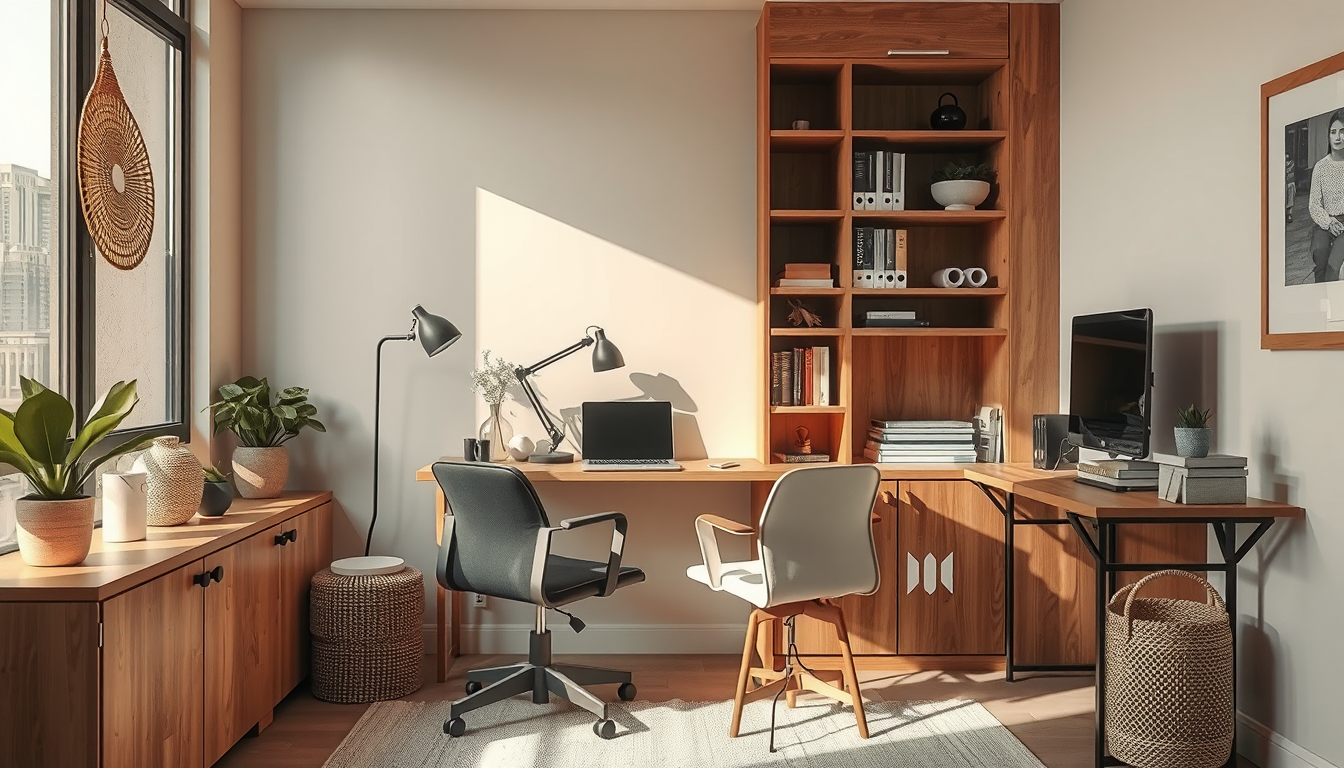
Getting home office lighting canada right is not optional — it is the single most impactful upgrade you can make for productivity and physical comfort when you work from home. Most Canadian home offices sit at roughly 150–200 lux, well below the 300–500 lux range the Canadian Centre for Occupational Health and Safety recommends for general desk work . That gap matters more here than almost anywhere else. Toronto logs barely 83 sunshine hours in December compared to over 250 in July, which means your lighting setup needs to carry your focus through five months of near-darkness. Here is the layered approach that actually works.
Why Home Office Lighting Canada Demands a Seasonal Strategy
If you follow lighting advice written for Los Angeles or London, you will end up squinting by November. Canada’s extreme daylight swing — Toronto shifts from roughly 9 hours of daylight in December to over 15 in June — creates what designers call the dark-months productivity gap . During those shorter days, your eyes constantly adjust between a bright screen and a dim room, triggering the headaches, dry eyes, and blurred vision that define digital eye strain. An estimated 65–70 percent of remote workers report these symptoms, and the problem intensifies the further north you live .
The fix is not simply adding a brighter bulb. You need a system that adapts to the season, the time of day, and the task at hand. Older Toronto homes with north-facing rooms and the thousands of basement offices across the GTA face an additional challenge: minimal natural light year-round. Even newer condos along the waterfront and midtown corridors often have deep floor plates that push desk space well away from windows. The strategy below addresses all of these scenarios with three distinct lighting layers.
The 3-Layer Home Office Lighting System That Eliminates Eye Strain
Shop Compact Work-From-Home Staples
Desks, task lamps, and shelving do more for a condo office than oversized furniture that eats the room.
Toronto Interior Designer may earn a commission if you shop through these links at no extra cost to you.
Professional office designers use a three-layer framework — ambient, task, and accent — and it translates directly to a home setup. Each layer solves a specific problem, and together they eliminate the harsh contrasts that cause fatigue. Here is how each layer works and what to budget.
| Layer | Purpose | Recommended Fixture | Colour Temp | Budget Range (CAD) |
|---|---|---|---|---|
| Ambient | Even, room-wide illumination that reduces contrast between your screen and surroundings | Flush-mount LED panel or ceiling fixture, 3,000–4,000 lumens | 4,000 K (daylight neutral) | $80–$180 |
| Task | Focused, adjustable light on your desk surface; aim for 500+ lux at keyboard level | Adjustable LED desk lamp with tuneable white | 4,000–5,000 K for focus work; 3,000 K for evening | $60–$150 |
| Accent / Bias | Soft glow behind your monitor to reduce screen-to-wall contrast and ease eye fatigue | LED light bar (monitor-mount) or bias strip | 3,000–3,500 K | $30–$70 |
The total investment sits comfortably under $400 CAD, and tuneable-white LED desk lamps have dropped 40–60 percent in price since 2022, so you can build a solid three-layer setup for under $300 if you shop Canadian retailers like Structube, EQ3, or Canadian Tire’s commercial lighting section. Avoid stacking all your lumens in one overhead fixture — that creates the same flat, shadow-heavy environment you are trying to escape. For more ways to bring natural elements into compact spaces, see our guide to biophilic design strategies for Toronto condos.
A bright screen in a dark room is the fastest way to burn out your eyes and your motivation. Match the room to the screen, not the other way around.
Best Colour Temperature Settings for Focus, Calls, and Creative Work
Colour temperature — measured in Kelvin (K) — is the most overlooked variable in a home office. Research suggests that lighting between 4,000 K and 5,000 K improves alertness and cognitive performance compared to the warm 2,700 K glow most living room fixtures produce . But running cool daylight-tone lighting at 9 p.m. disrupts your circadian rhythm, so the goal is to shift temperature throughout the day.
Here is a practical schedule any remote worker can follow:
- Morning focus block (8 a.m.–12 p.m.): Set ambient and task lights to 4,500–5,000 K. Open blinds fully to capture whatever natural daylight is available.
- Afternoon meetings (12–3 p.m.): Drop to 4,000 K. This range looks natural and flattering on video calls without washing you out.
- Creative or reading work (3–5 p.m.): Stay at 4,000 K but dim the task light slightly and rely more on ambient fill.
- Evening wrap-up (after 5 p.m.): Shift everything to 3,000 K warm white. This signals your brain to begin winding down.
- Weekend or casual use: If your office doubles as a den, drop to 2,700 K and use accent lighting only for a living-space feel.
Most tuneable-white lamps and smart bulbs let you save these as presets, and scheduling apps such as the Philips Hue or LIFX platforms can automate the shift so you never have to think about it. At Toronto Interior Designer, we recommend pairing your lighting shifts with wall colours that reflect light effectively — warm neutrals amplify ambient brightness without adding another fixture.
How to Light a Basement or North-Facing Home Office in Canada
Basement offices and north-facing rooms are common across the GTA, and they share one core problem: almost zero direct sunlight. Without intervention, these spaces hover around 50–80 lux during the day — a fraction of what your eyes need. Here is how to compensate without making the space feel like a fluorescent-lit cubicle.
- Upgrade the ceiling fixture first. Replace any single-bulb socket with a 4,000-lumen LED panel. Flat panels distribute light more evenly than dome fixtures and eliminate the harsh shadows that make a low ceiling feel even lower.
- Add a daylight-simulation lamp. Full-spectrum SAD-style lamps rated at 10,000 lux (used at arm’s length for 20–30 minutes in the morning) can offset the mood and energy dip that comes with months of limited sun exposure.
- Use light-coloured finishes strategically. White or pale grey desktops, light wood shelving, and matte-finish walls bounce available light around the room instead of absorbing it. A matte white ceiling alone can improve perceived brightness by up to 30 percent compared to a standard beige.
- Position your monitor perpendicular to any window. This avoids both glare on the screen and backlighting that forces your pupils to over-adjust.
- Install a bias light behind your monitor. A $30–$50 LED light bar clipped to the top of your display cuts the contrast ratio between screen and wall, which is the single biggest cause of eye fatigue in dim rooms.
For more workspace ideas tailored to smaller Canadian homes, browse our home office category.
Your Home Office Lighting Canada Checklist: What to Do Next
With roughly one in four Canadian businesses still supporting remote or hybrid work — representing millions of Canadians who need a functional desk setup — proper home office lighting is no longer a nice-to-have . It is a health and productivity essential, especially through the five darkest months of the year. At Toronto Interior Designer, we see the difference proper lighting makes in every project: fewer headaches, sharper focus, and a workspace you actually want to sit down in at 8 a.m. on a grey January morning.
Start here and work down the list:
- Measure your current lux level. Download a free lux-meter app and check your desk surface. If you are below 300 lux, start with the task-light layer.
- Pick one tuneable-white LED desk lamp. Look for 4,000–5,000 K range and a dimmer. Budget $60–$150 CAD.
- Add a monitor bias light. This $30–$50 upgrade delivers the fastest relief from eye strain.
- Audit your wall and desk colours. Dark finishes absorb the light you are paying for. Switch to light neutrals where possible.
- Set a seasonal reminder. In October, boost your ambient layer by 20–30 percent to compensate for shorter days. Reverse it in April.
Make the Setup Feel Finished
Upgrade your office corner with better lighting, smarter storage, and one or two elevated pieces that keep it from feeling temporary.
Toronto Interior Designer may earn a commission if you shop through these links at no extra cost to you.
Sources
- CCOHS — https://www.ccohs.ca/oshanswers/ergonomics/lighting_general.html
- Environment Canada — https://climate.weather.gc.ca/
- The Vision Council — https://thevisioncouncil.org/
- Journal of Environmental Psychology — https://www.sciencedirect.com/journal/journal-of-environmental-psychology
- Statistics Canada — https://www.statcan.gc.ca/
Frequently Asked Questions
What colour temperature is best for a home office in Canada?
For focused daytime work, use 4,000–5,000 K cool daylight lighting. Shift to 3,000 K warm white after 5 p.m. to support your circadian rhythm, especially during Canada’s long winter evenings.
How many lumens do I need for a Canadian home office?
Aim for 3,000–4,000 lumens of ambient light plus a task lamp delivering 500+ lux at desk level. The Canadian Centre for Occupational Health and Safety recommends 300–500 lux for general desk work.
How do I light a basement home office in Toronto?
Install a 4,000-lumen flat LED ceiling panel, add a monitor bias light to reduce screen-to-wall contrast, and use light-coloured wall and desk finishes to bounce light. A 10,000-lux daylight simulation lamp also helps offset limited natural light in winter.